
Try it. Right here.
A simulation of Novi's notch island and the Android app. Start an agent run, then answer it on the Mac or on the phone, whichever is closer.
 No agent running
$ claude
Running a command · npm test
RecentSee all
- Your decisions show up here.
Simulation for illustration. Commands, names and timings are examples.
A face for every state.
You can tell what your agents are doing from the corner of your eye. Novi thinks, waits, asks and celebrates with them.
ReadyAgent connected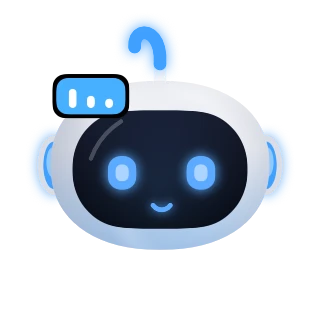 WorkingThinking and editing
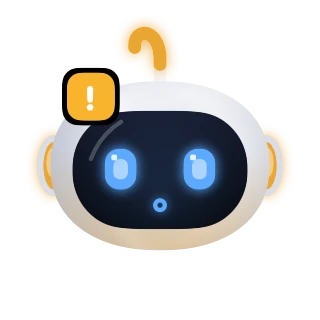 Needs youPermission request
 AskingPick an answer
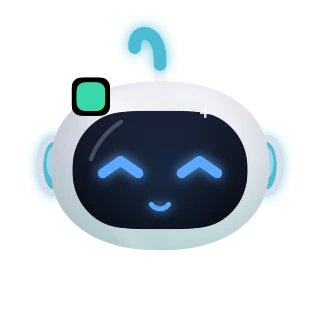 DoneRun finishedRestingNothing running
 FailedSomething broke
 HelloWhen you sit down
 Per agentA colour for each
 ThanksA little reward
The notch, put to work.
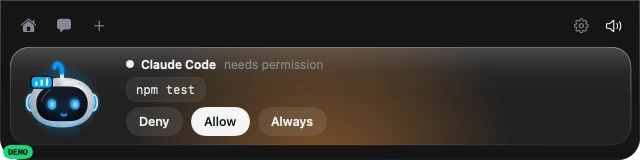
Real screenshots from Novi for Mac in demo mode. The island grows out of the notch when an agent needs you, and folds away when it doesn't.
Permission, in place.
When Claude Code wants to run a command, Novi shows exactly which one. Deny, Allow or Always, without hunting for the right terminal window.
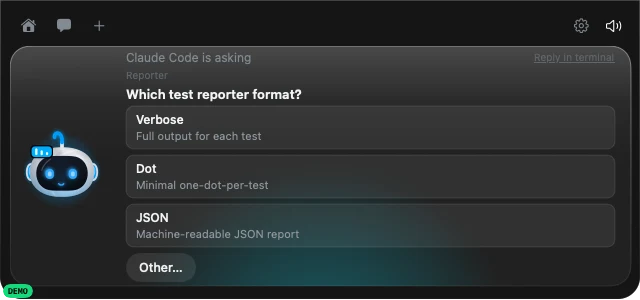
Questions with real choices.
Your agent asks, Novi lists the options. Pick one, or reply in the terminal if you want to say more.
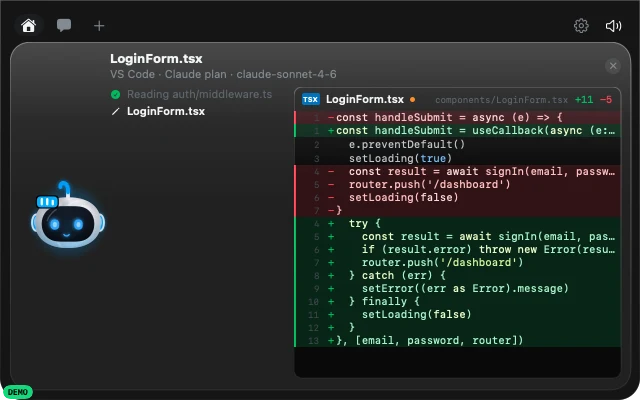
See every change live.
Follow the files your agent reads and edits, with the code and a live diff right under the notch.
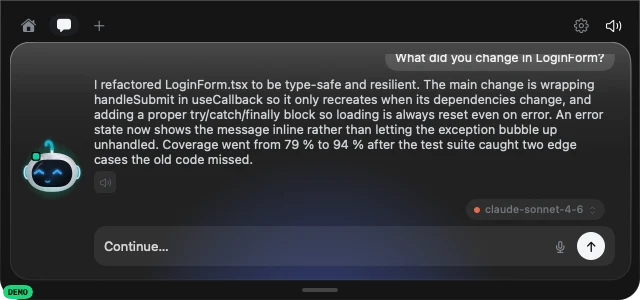
Ask what happened.
Chat with your agent from the island. Novi uses the AI provider and key you choose, on your Mac.
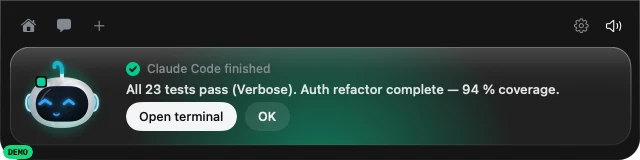
Know when it's done.
A short notice with the gist of your agent’s answer when a run finishes or fails. Jump to your terminal or VS Code, or just say OK.
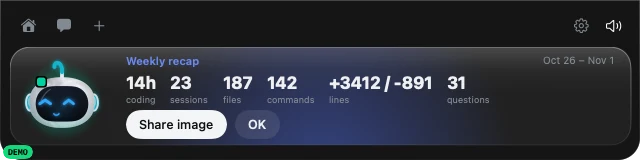
Your week in one line.
Hours coding, sessions, files, commands and lines changed. A weekly recap you can share as an image.
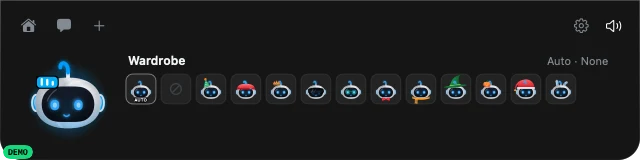
Dress him up.
Eight colours and a wardrobe of outfits, or “Auto” for the season. Your choice follows you to iPhone and Android.
 Screenshot · Novi for Mac
Your Mac, in your pocket.
The iPhone app follows your Mac through your own private iCloud. No pairing code, no server of ours in between. Step away from your desk and keep talking to Claude Code.
- Your team at a glanceEvery agent as its own Novi in its colour. Tap one to see what it is doing, big and up close.
- Confirm securelyApprove with Face ID, Touch ID or your device passcode. Deny with one tap.
- Answer questionsPick one of the agent's options right in the notification.
- Send an instructionType or dictate the next step for Claude Code or Grok on your Mac.
- WidgetsYour team of Novis on the Home Screen, small or medium, and on the Lock Screen.
- Done and question alertsA notification the moment an agent finishes, asks or runs into a problem, even when the app is closed.
- Chat with Claude CodeYour message goes straight into the running session, on your Mac or on a server over VS Code Remote-SSH. The answer comes back to your iPhone.
- Send photos and filesA screenshot of a bug, a design, a document: up to 20 MB, sealed on your iPhone with its own AES-256 key.
- Away modeWhile you're out, a session keeps listening for your iPhone after each answer.
- Answer any timeA permission request stays on your phone as long as your agent waits for it. Allow or deny from your iPhone, even an hour later, or right in the terminal.
- Opens instantlyNovi shows your agents right away from the last state it received, then updates in the background.
npm test
Step away. Stay in control.
Pair your phone with one QR code from your Mac's settings. Approvals, questions and chat follow you around the house, straight from your Mac to your phone.

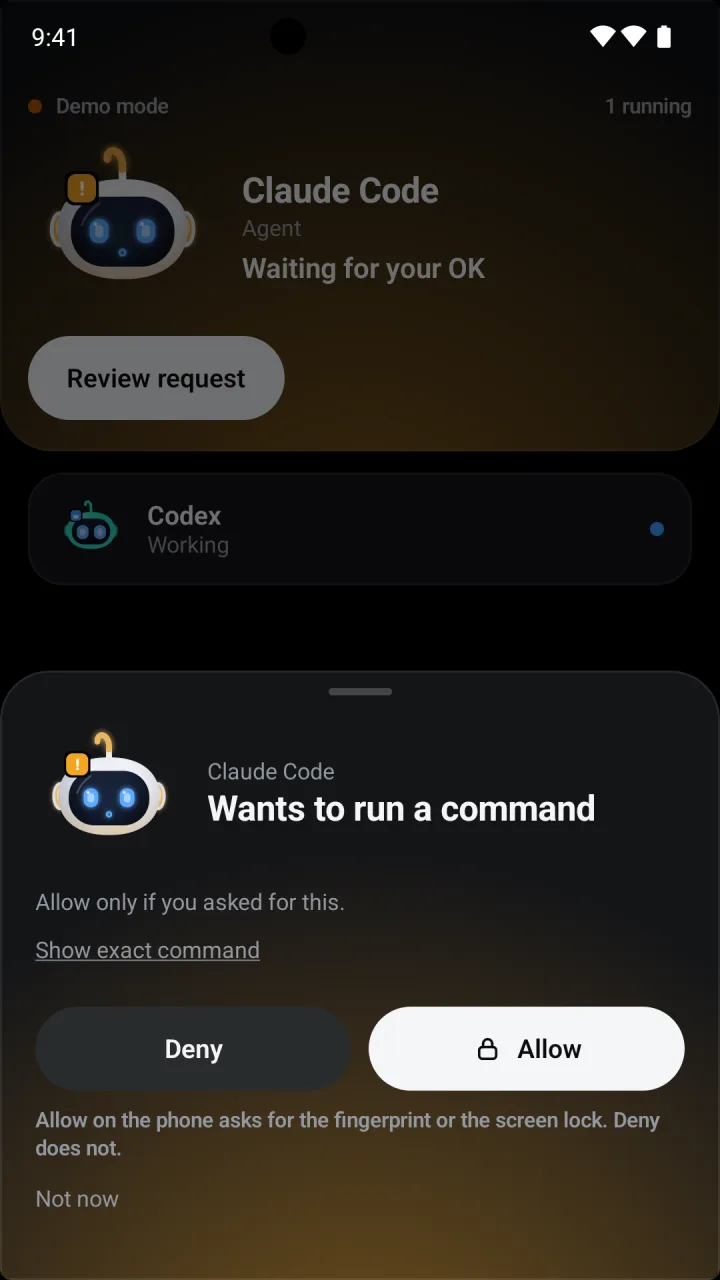
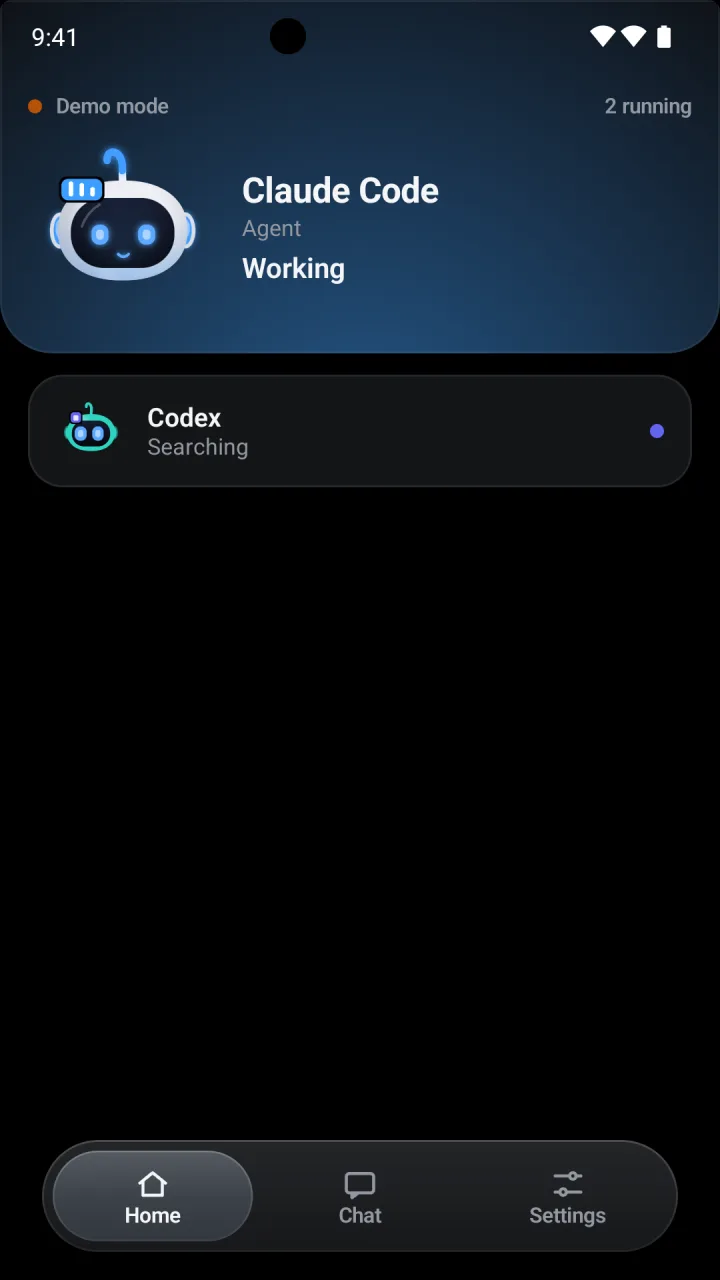
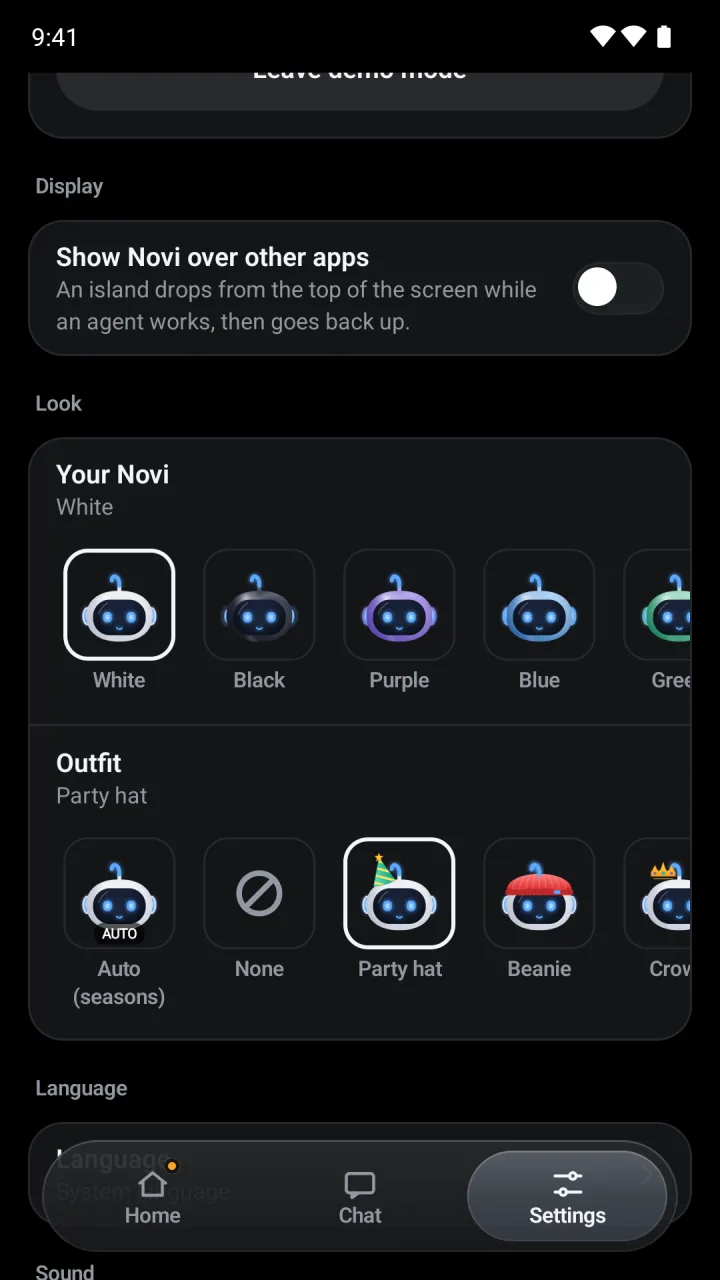
One QR code to pair
Turn on Settings > General > Android phone on your Mac and scan the code. No sign-up, no account.
Direct and pinned
Phone and Mac talk over your own network, encrypted with TLS and pinned to your Mac's certificate.
Allow needs you
Allow asks for your fingerprint or screen lock, Deny does not. Approval screens are blocked from screenshots.
Longer approval windows
With the updated Novi hooks, Claude Code and Grok permission requests can remain available for up to 24 hours while the agent is still waiting. Other agents have shorter limits; unanswered questions can be asked again later.
Chat from the phone
Ask the AI providers your Mac is set up for, right from Android. Your Mac sends the message with its own key; the key never reaches the phone. Off until you turn it on.
Mail and your look
Unread mail from your own mailboxes, plus the same Novi colour and outfit as on your Mac and iPhone.
Small things, always there.
All your coding agents
Claude Code, Codex, Cursor, Gemini CLI, GitHub Copilot CLI, Grok, OpenCode and Amp. Several sessions at once, each with its own colour. Idle agents doze off; the one that needs you lights up.
Agents that ask each other
One agent can send another a question or a task through Novi. Every single message waits for your Allow.
Your stack at a glance
GitHub, Vercel, Stripe, Notion, Cal.com, Resend and n8n updates, if you connect them.
Shopify and Google
Open orders from your Shopify store, plus Google Calendar, Gmail and Drive through the apps on your Mac.
Talk to your agent
Say “OK Novi” or dictate an instruction. On Macs that support it, speech recognition can stay on the device.
Now playing
Music and Spotify controls in the island while no agent needs you.
Claude Code on a server
Working in VS Code over Remote-SSH? Novi follows that session too, through an encrypted SSH tunnel.
One Novi, every device
Eight colours, from white and black to teal and rose. Pick one on your Mac, iPhone or Android and the others follow.
Dressed for the season
Party hat, crown, sunglasses, bunny ears and more. “Auto” picks one for the time of year: a witch hat in October, a Santa hat in December.
Long commands, watched
Turn it on and Novi tells you when a zsh command finishes that ran longer than the time you set (one minute by default), and whether it worked. Nothing leaves your Mac.
Unread mail at a glance
The unread count from Apple Mail, and on every device any IMAP mailbox with an app password. Read-only: Novi never marks, moves or sends mail.
Ask about the weather
Turn it on, set your city and ask Novi on your Mac for today’s or tomorrow’s weather. Forecasts come from Open-Meteo, with no key and no account.
Eleven languages
English, German, Spanish, French, Portuguese, Russian, Arabic, Hindi, Bengali, Indonesian and Chinese, on Mac, iPhone and Android. Arabic reads right to left.
Encrypted device links
iPhone sync uses encrypted fields in your private iCloud, with separate encryption for file attachments. Android connects over your local network using TLS pinned to your Mac.
Verify every Allow
Allowing a command or sending an instruction from your iPhone requires device authentication: Face ID, Touch ID or your passcode. This also applies when you start from a notification or the Lock Screen.
Delete your data any time
One button on your Mac or iPhone deletes everything Novi keeps in your iCloud. While sync is on, leftovers are cleaned up daily.
Talk to Novi
A chat and voice mode for talking with Novi itself, separate from your agent sessions. Ask it a quick question, or let a friend say hello.
No account. No ads. No tracking.
Novi has no sign-up, no analytics and no advertising. What your agents do stays between your own devices. Messages and files between your iPhone and your Mac are end-to-end encrypted with your own iCloud keys, and every file is sealed on your iPhone with its own AES-256 key. If you turn on chat, your Mac talks to the AI provider you chose, with your own key.
Three devices. One companion.
Novi is available for Mac, iPhone and Android. Download the Mac app here, or get the companion app from the App Store or Google Play.
The phone apps need Novi running on your Mac. Use the same iCloud account for iPhone, or pair Android over your local network.
Novi for Mac
FreeThe island in your notch, for macOS 14 Sonoma or later.
Version 1.5.12 (70) · Universal · .zip
- Signed with Developer ID and notarized by Apple
- Built-in update checks (Sparkle)
- Approvals, questions and live diffs
- Pairs with Android and iPhone
Novi for iPhone
Available on the App StoreApprovals, questions and chat with Claude Code through your own iCloud. Available on the App Store.
- Chat, photos and files
- Face ID, Touch ID or passcode
- End-to-end encrypted
Novi for Android
Available on Google PlayFree, for Android 11 or later. No account, no ads. Available on Google Play.
- Approve and answer from the phone
- Biometrics or screen lock for Allow
- Paired by QR code